
Paste MCP
io.pasteapp/paste
Documentation
Paste MCP



Local MCP server for Paste. Give Claude, Codex, Cursor, and other AI tools access to your Mac's clipboard history and pinboards — without anything leaving your device.
Your assistant can search your clipboard items, pull one into context, or save its output to a pinboard.
Install
Use add-mcp to connect Paste to all your installed AI apps:
npx add-mcp @pasteapp/mcp
The first time an app uses Paste, it'll ask you to authenticate and allow access.
Alternatively, connect Paste to each app manually:
Claude Code
claude mcp add paste -- npx -y @pasteapp/mcp
Codex
codex mcp add paste -- npx -y @pasteapp/mcp
Cursor

VS Code

Connect from Paste
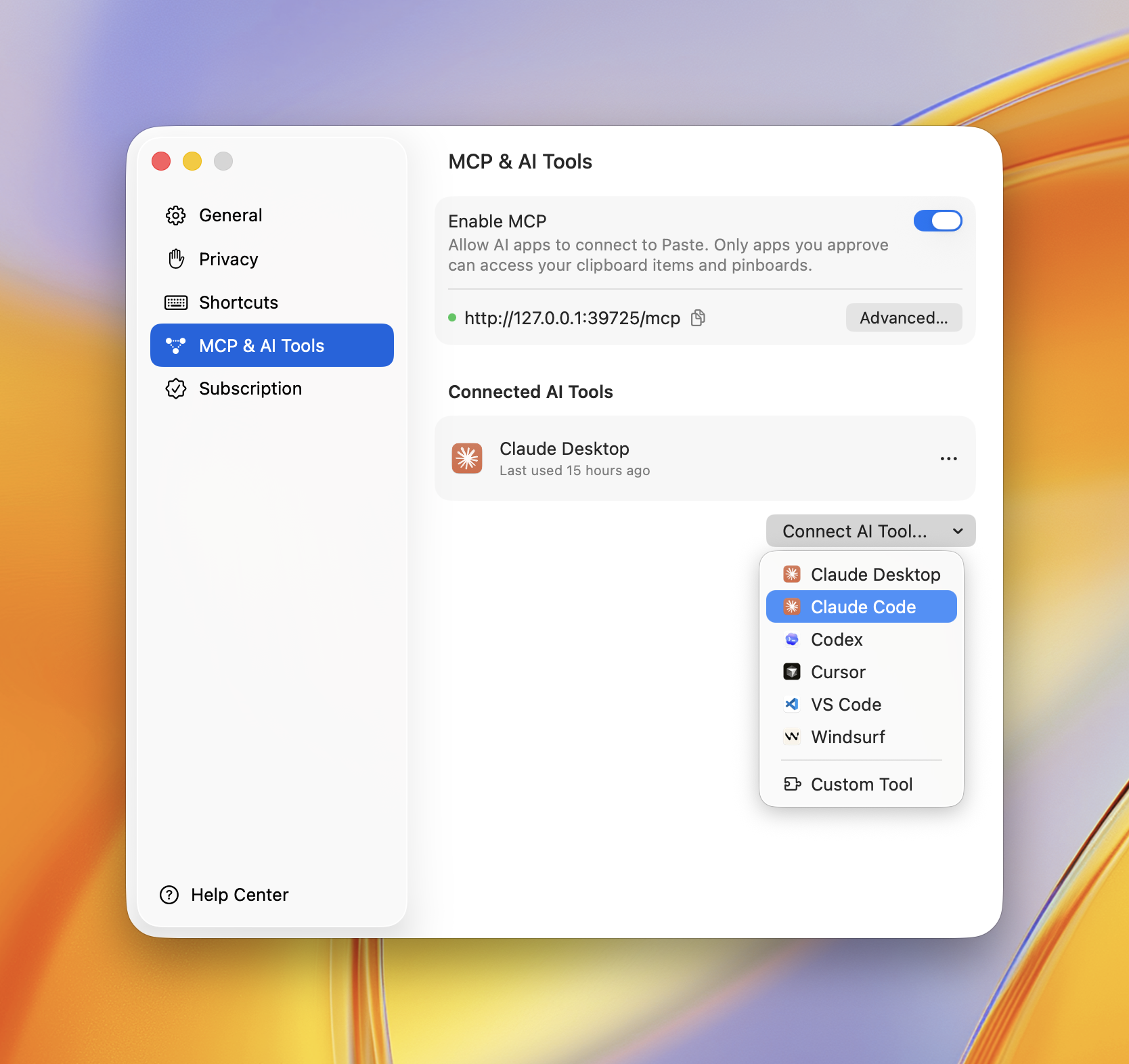
You can also connect any app right inside Paste. Open Settings → MCP & AI Tools, click Connect AI Tool, and choose your app — Paste does the rest.
Privacy Policy
Paste MCP runs locally on your Mac — it bridges your AI app to Paste's on-device server and sends nothing to Paste's own servers. Your clipboard items only reach the AI apps you approve, and you can revoke access anytime in Settings → MCP & AI Tools.
Full policy — what data is processed, how it's stored, sharing, retention, and contact: https://pasteapp.io/privacy.
Troubleshooting
The AI tool says Paste isn't available. Make sure Paste is running and MCP is enabled in Settings → MCP & AI Tools.
Tools don't show up after connecting. Fully quit and reopen your AI app so it relaunches the server.
npx errors or "command not found".
Confirm Node.js 18+ is installed: node --version.
Requirements
Contributing
Issues and pull requests welcome — see the issue tracker.